
Turnitin Login Guide: A Clear Walkthrough for Students

Trying to access Turnitin for the first time can feel unnecessarily complicated. Maybe your professor mentioned a class ID.
Maybe your school uses Canvas. Or maybe you received an email and weren’t sure what to do next. If you’re confused, that’s completely normal.
The good news is that Turnitin access follows a clear structure once you understand how schools set it up. In this guide, we’ll walk through everything—from logging in with an existing account to creating a new profile, fixing common login problems, and understanding what to do if you don’t have a class ID.

What Is Turnitin and Who Can Use It?
Turnitin is an academic integrity platform used by schools and universities worldwide. It compares submitted papers against a large database of academic publications, student papers, and online content. In many cases, it also provides AI detection insights and instructor feedback tools.
However, students cannot typically sign up for Turnitin independently. Access is almost always tied to an institution. You usually gain entry through one of these methods:
Your university’s licensed Turnitin account
Integration within your learning management system (Canvas, Blackboard, Moodle, etc.)
A class ID and enrollment key provided by your instructor
Whether you log in directly on Turnitin’s website or through your school portal depends entirely on how your institution manages access.
How to Log In to Turnitin (If You Already Have an Account)
If you’ve previously created a Turnitin account, signing in is simple:
Go to the official Turnitin login page.
Enter the email address linked to your account.
Type your password.

During your first login, you may be asked to review and accept the User Agreement. Click “I Agree — Continue” to proceed.
Once logged in, you’ll be taken to your dashboard where your classes and assignments are listed.
How Different Users Create a Turnitin Profile
Account setup varies slightly depending on your role.
Students
Students can register in one of two ways:
Instructor Enrollment: Your professor adds you to a class, and you receive a welcome email.
Self-Registration: Your instructor gives you a class ID and enrollment key, which you use to register manually.
In both cases, you’ll need to provide personal details and create a secure password.
Instructors and Teaching Assistants
Instructors and TAs usually don’t self-register independently. Instead, their institution or administrator creates the account. Once added, they receive a Turnitin welcome email with instructions to activate their account.
Administrators
Administrators are typically set up through institutional agreements with Turnitin and manage access across departments or campuses.
First-Time Student Account Activation (Email Method)
The most common scenario for students is activation through a welcome email.
Here’s how it works:
Step 1: Open the Invitation Email
You’ll receive a message stating something like: “You've been added to the Turnitin class.”
Click the “Set up account” link inside the email.
Important: This link usually expires within 24 hours.

Step 2: Confirm Your Information
You’ll be directed to the account setup page. Enter:
The email address that received the invitation
Your last name (exactly as shown in the email)
Click Next to continue.

Step 3: Create a Secure Password
Your password must:
Be at least 12 characters
Include both uppercase and lowercase letters
Contain at least one number
Include at least one special character
Once completed, confirm your password.
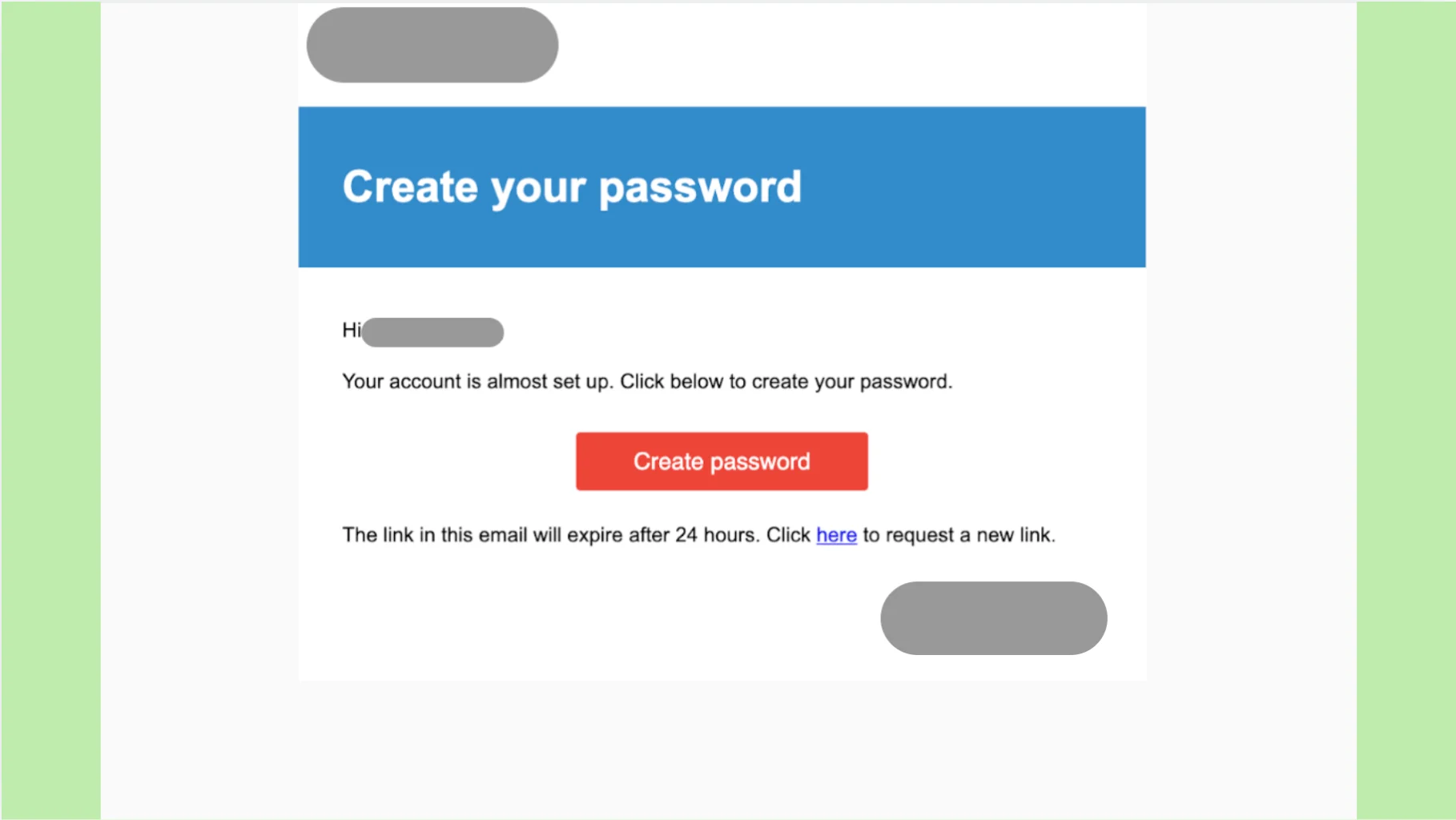
Step 4: Finish Setup
You’ll see a confirmation message indicating your account is ready. From there, you can log in normally using your email and password.

Can You Log In to Turnitin Without a Class ID?
For students, the short answer is no. Turnitin access requires enrollment in a course connected to an institution.
You must have either:
A class ID and enrollment key
LMS-based access provided by your school
Students cannot independently purchase or operate a fully functional Turnitin classroom account.
What If You Only Want to Check Your Similarity Report?
If your goal is to preview similarity or Turnitin AI detection results before submitting, professional preview tools like Turnitindetector (T-detector) can help.

These tools allow you to:
Upload your document without a school login
Preview AI and similarity reports aligned with Turnitin
Avoid having your paper stored in Turnitin’s database
This means checking your draft won’t result in a 100% similarity score later when submitting officially.
How to Update Your Password or Account Details
If you need to change your password or edit personal information:
Log into your Turnitin account.
Navigate to User Information or Account Settings.
Update your password, email address, or security question answers.
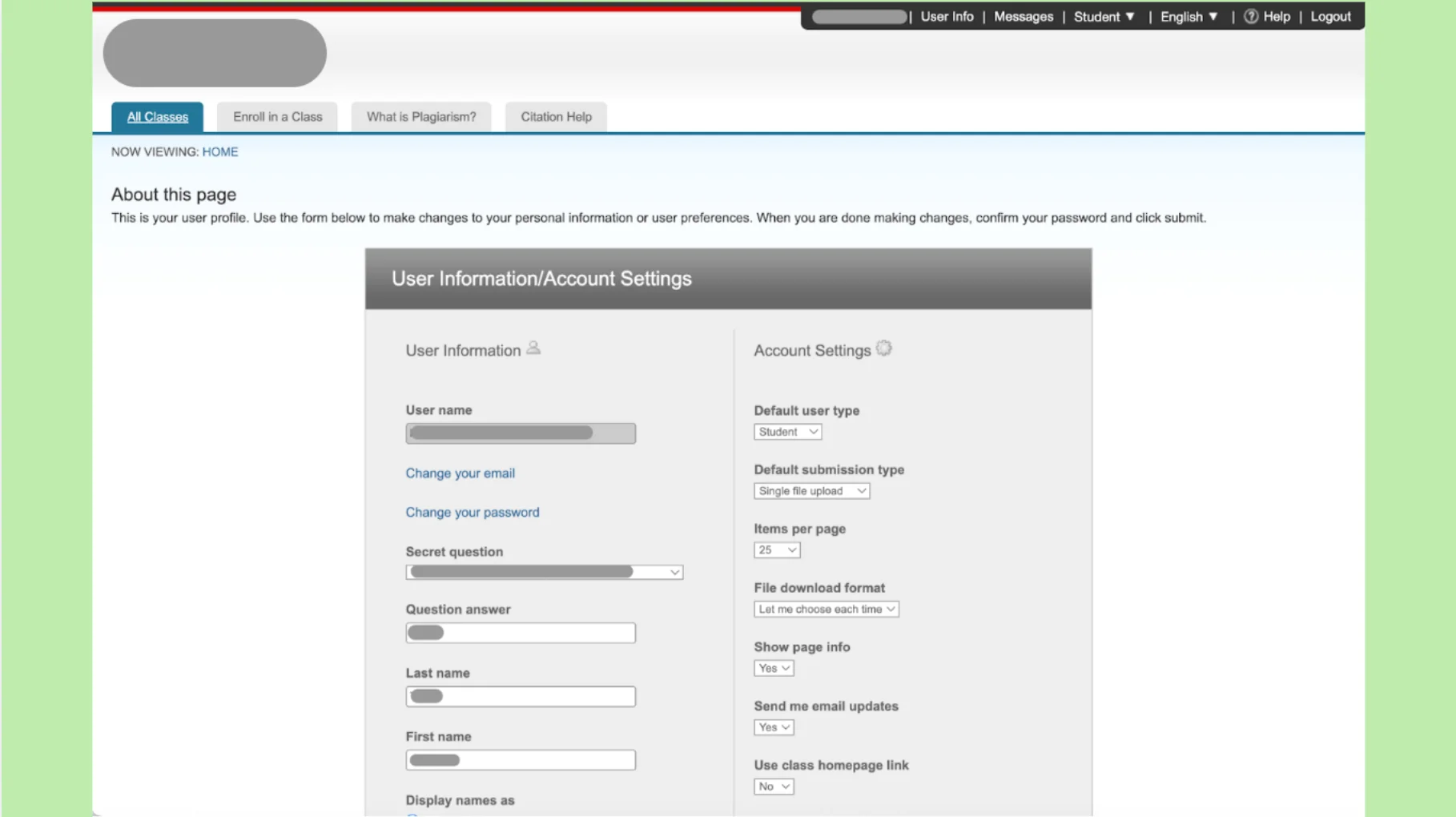
Save your changes.
Keeping your login information updated helps prevent future access issues.
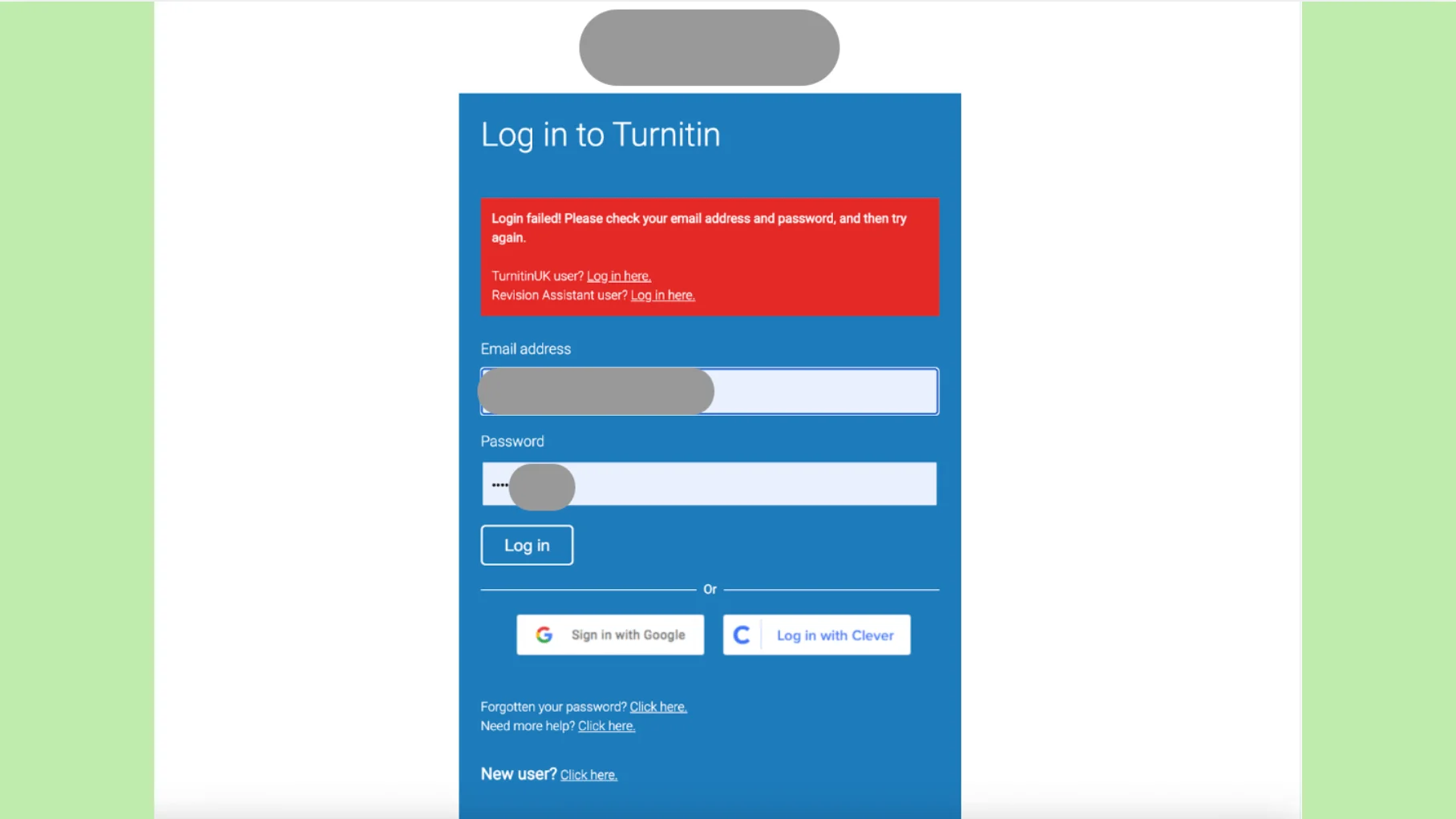
Common Turnitin Login Problems and How to Fix Them
Login issues are more common than you think. Most are easy to resolve.
Forgot Password
Use the “Forgot password?” link on the login page. Check your inbox (and spam folder) for the reset email.
Class Not Showing After Login
If your dashboard is empty, you may need to manually enroll using a class ID and enrollment key.
Incorrect Email or Account Not Found
Make sure you’re using the same email your instructor enrolled. If unsure, ask your professor to confirm.
Account Locked
Too many failed login attempts can temporarily lock your account. Wait a short time and try again, or contact support.
Redirected to School Portal (SSO)
Some institutions use Single Sign-On (SSO). This means Turnitin will redirect you to your school’s login page for authentication before granting access.
FAQ

What should I do if my Turnitin login isn’t working?
Double-check your email and password. If necessary, reset your password or contact your instructor.
Can I Submit More Than Once to the Same Assignment?
This depends on your instructor’s assignment settings. Some assignments allow multiple submissions before the deadline, while others may limit attempts.
Can I access Turnitin without being enrolled in a class?
No. Access requires institutional enrollment.
Why am I redirected to my university portal?
Your school may use Single Sign-On (SSO) for authentication.
Is the login process different for instructors?
Yes. Instructors have additional permissions, such as creating assignments and viewing student submissions.
Is Turnitin free for students?
Access is included through your institution’s license. It is not typically available for individual purchase.
Does Turnitin login determine my similarity score?
No. Login simply provides access. Similarity scores depend on submitted content and instructor settings.
Final Thoughts
Turnitin login may seem overwhelming at first, but once you understand how institutional access works, the process becomes much more manageable.
Set up your account early—before deadlines—and confirm your login details in advance. That way, when submission time comes, you can focus on your work instead of troubleshooting technical issues.
With the right preparation, logging into Turnitin is just one small step toward submitting your paper with confidence.